
Before starting the activity
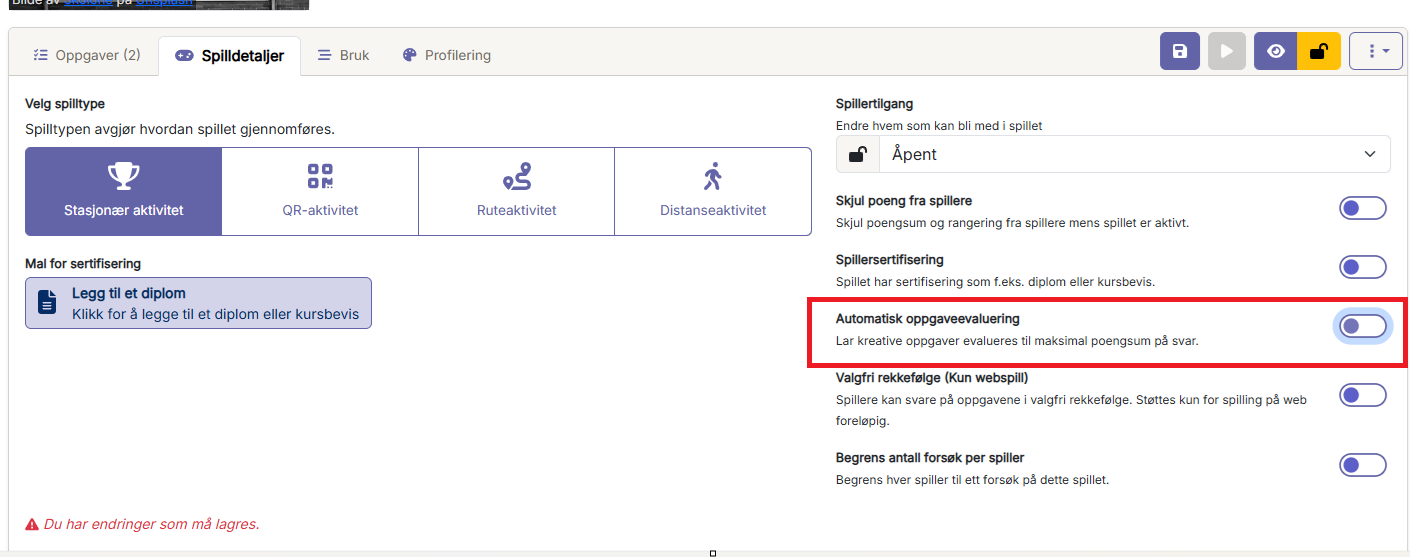
Before a Wittario activity starts, the activity leader decides how creative tasks should be handled.
You can choose whether submissions should be:
- Evaluated manually by the activity leader
- Automatically approved, giving players the points that were set in advance
This setting must be decided before the activity is started.
When to evaluate responses
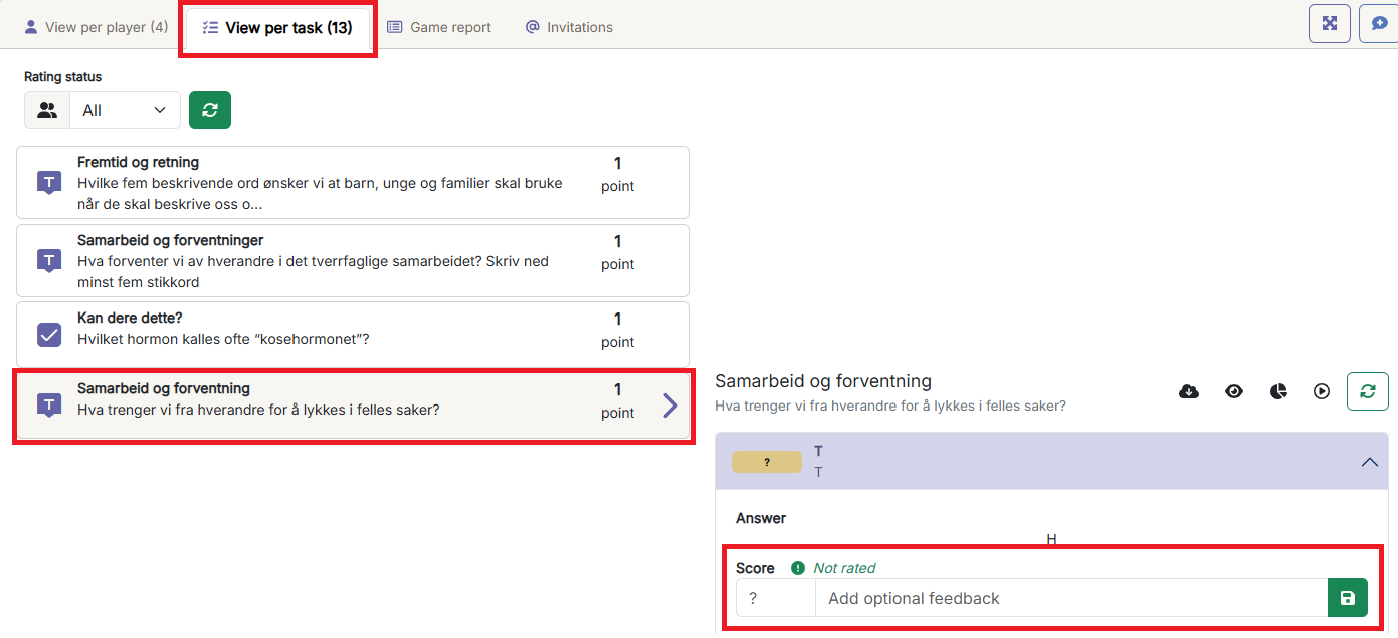
Manual evaluation is useful when you want to review the quality, creativity, or relevance of the players’ submissions before awarding points.
This applies to task types such as:
- Free text responses
- Image submissions
- Video submissions
Giving feedback to players
When evaluating responses, you can use the opportunity to give players feedback that is:
- Encouraging
- Motivating
- Relevant to their submission
- Helpful for continued participation
Feedback can be given while the activity is ongoing or after the activity has finished, depending on how you want to organize the activity.