
This feature is available on the published activity's page and can be performed by both the instructor and co-instructors. Use it with care, though — once you delete a participant, their answers can't be recovered.
There are two ways to remove participants:
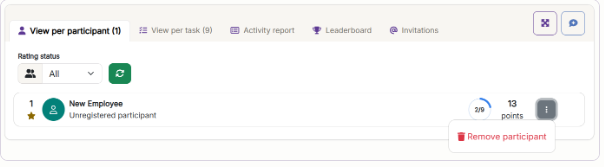
Remove a single participant
Open the ⋮ menu next to the participant in the participant list, and choose Remove participant.
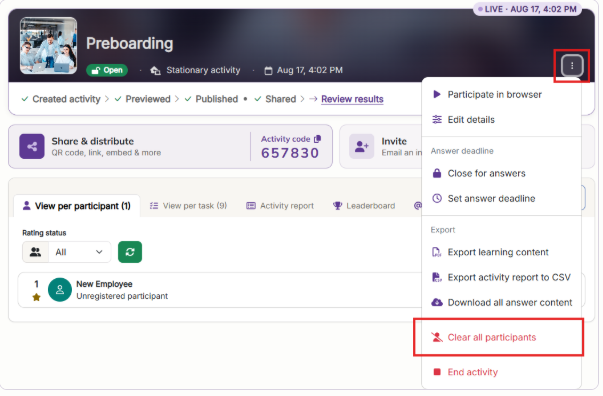
Remove all participants at once
Open the Activity actions menu at the top of the activity, and choose Clear all participants.
Both actions permanently remove the participant's answers and uploaded files, and can't be undone.