
Previously, all participants who completed an activity could receive a certificate.
Now, you can define a required score for passing. Participants only receive the participant certificate if they meet or exceed the minimum score you set.
This gives you better control over learning outcomes and makes participant certificates reflect actual results.
New name: Participant certificate
The feature previously called diploma, course certificate, or certificate is now called participant certificate throughout Studio.
The function is the same. Only the name has changed.
When should I use a passing requirement?
Use a passing requirement when participants need to demonstrate a minimum level of knowledge or understanding.
This is especially relevant for:
- HSE and safety training
- Compliance training
- Internal onboarding
- Employee training
- Certification activities
- Product knowledge training
- Partner or customer training
- Courses where results must be documented
If an activity is only meant for participation, reflection, a guided tour, or a survey, you may not need a passing requirement.
How to set a passing requirement
To set a requirement for a participant certificate:
- Open the activity in Studio.
- Open the participant certificate settings.
- Choose Add participant certificate or Edit participant certificate.
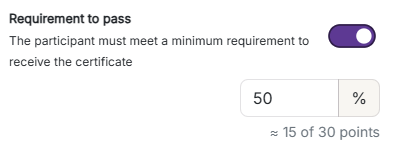
- Turn on Passing requirement.
- Enter the minimum score as a percentage.
- Save your changes.
Studio will also show what the percentage equals in points.
For example, if the activity has 30 possible points and you set the requirement to 50%, Studio may show approximately 15 out of 30 points.
How participants receive the certificate
Participants receive the participant certificate only if they:
- Complete the activity
- Meet the minimum score requirement
- Have no answers still waiting for review
If a participant does not meet the requirement, they will not receive the participant certificate.
See who has passed
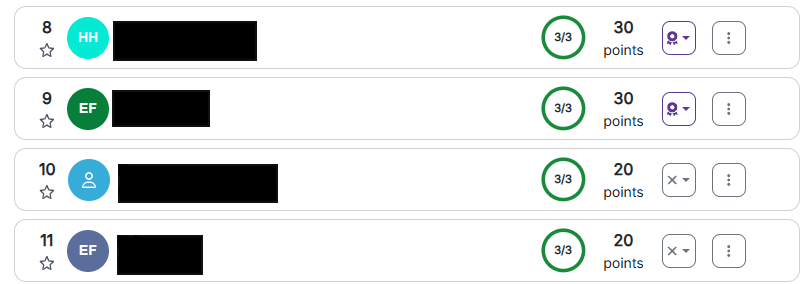
For ongoing and completed activities, each participant is marked with a clear status.
The status can be:
- Passed
- Not passed
- Waiting for review
If a participant has not reached the required score, you can see how many points they were missing.
If a participant has answers that need manual review, they are marked as Waiting for review. This means you need to review their answers before the final result can be determined.
What does “Waiting for review” mean?
Waiting for review means that one or more participant answers must be reviewed manually before Wittario can calculate the final result.
This can happen when an activity includes task types that require instructor evaluation, such as free-text answers, photos, or videos.
Once the answers have been reviewed, the participant will be marked as either Passed or Not passed, depending on their final score.
Clearer completion screen for participants
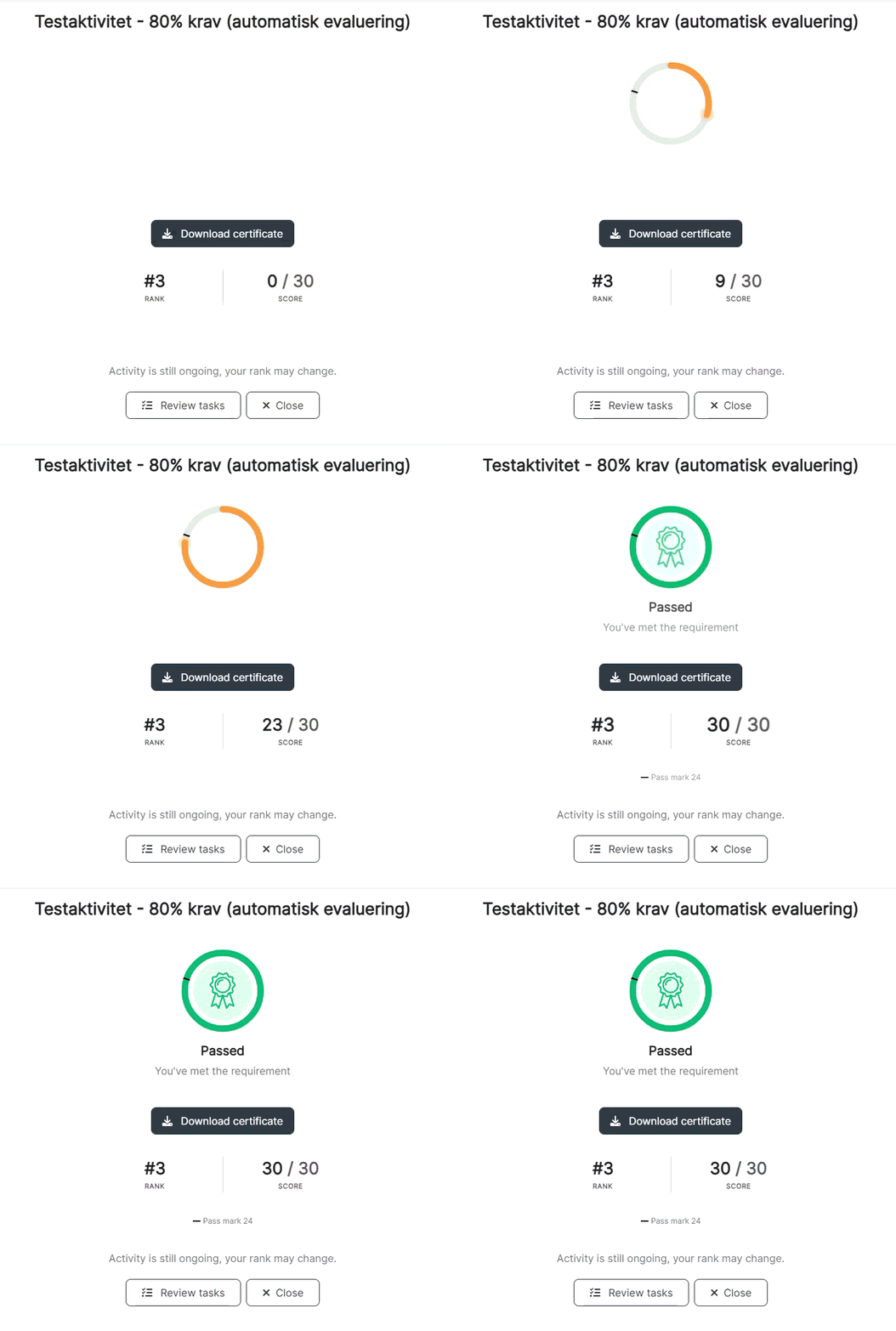
The completion screen in Play has been updated.
When participants finish an activity, they now see a clearer ending screen with animations and a direct message showing whether they have passed.
This helps participants immediately understand their result.
Activities without points
Some activities do not include tasks that give points.
Examples include:
- Guided tours
- Reflection activities
- Surveys
- Activities designed only for participation
For activities without points, participants no longer see 0 points. Instead, they only see their progress through the activity.
This gives participants a clearer and more relevant experience.
Upload progress for photos and videos
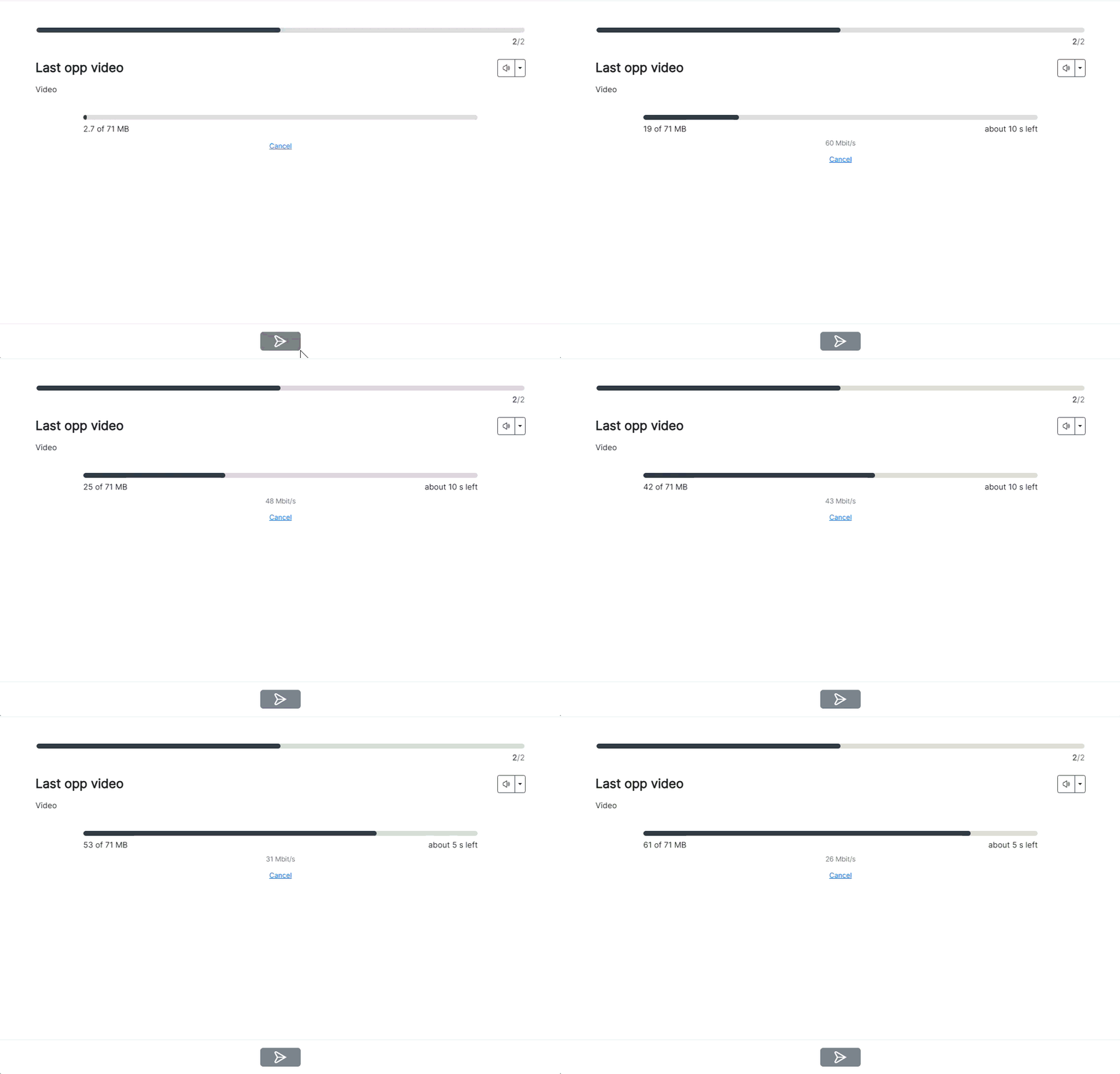
When participants upload a photo or video answer, Play now shows an upload progress bar.
The progress bar shows:
- How much of the upload is complete
- Approximately how much time remains
This helps participants understand that the upload is still in progress and reduces uncertainty about whether their answer was submitted.
Frequently asked questions
What is a participant certificate?
A participant certificate is a certificate participants can receive after completing an activity. It can be used to document participation, completion, or passing a required score.
Can I require a minimum score before a certificate is issued?
Yes. You can turn on Passing requirement and set the minimum score participants must reach to receive the participant certificate.
Where do I set the passing requirement?
Open the activity in Studio, go to the participant certificate settings, and select Add participant certificate or Edit participant certificate. Then turn on Passing requirement and enter the minimum score percentage.
Can I set the requirement as a percentage?
Yes. You enter the requirement as a percentage. Studio will also show approximately how many points this equals.
What happens if a participant does not reach the required score?
The participant is marked as Not passed and does not receive the participant certificate.
Can I see how many points a participant was missing?
Yes. If a participant does not pass, Studio shows how many points they were missing.
What does “Waiting for review” mean?
It means the participant has answers that must be reviewed manually before the final result can be calculated.
Do participants see whether they have passed?
Yes. When the activity is completed, participants see a clear completion screen showing whether they have passed.
What happens in activities without points?
If an activity has no point-based tasks, participants no longer see 0 points. They only see their progress.
Does this affect old certificates, diplomas, or course certificates?
The feature is the same, but the name has changed to participant certificate throughout Studio.